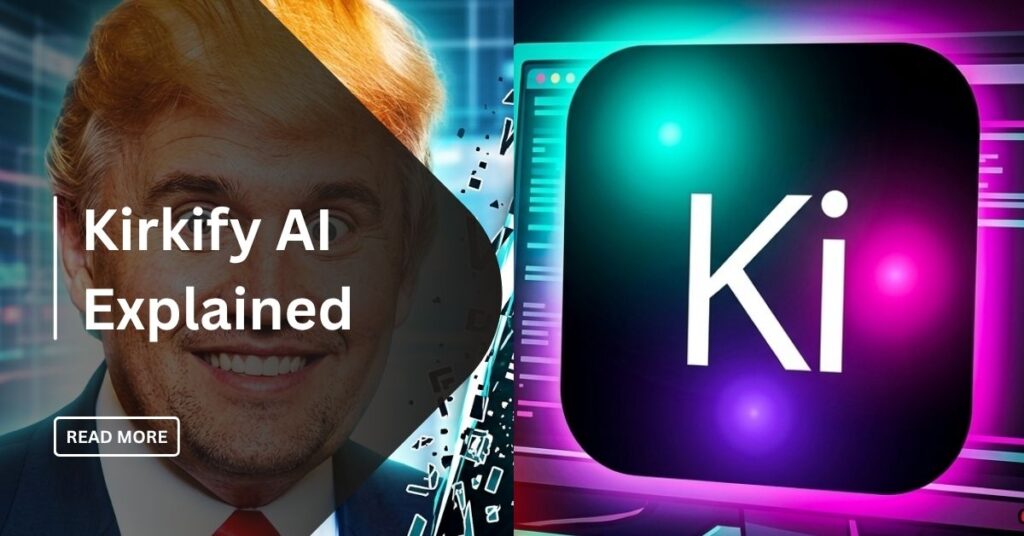
If you spend any time on TikTok or X, you have seen them. Those bizarre, neon-colored pictures of a person whose face is replaced with the little, squat, and condensed image of Charlie Kirk. This is referred to as Kirkification and it has entirely dominated the internet in the year 2026. At the center of this mess lies a tool known as Kirkify AI. It is a simple, powerful, and often hilarious AI generator that lets anyone join the trend with one click.
In this guide, I will show you exactly how to use Kirkify AI, why it is so popular, and how to create your own viral “Kirkified” memes.
What is Kirkify AI?
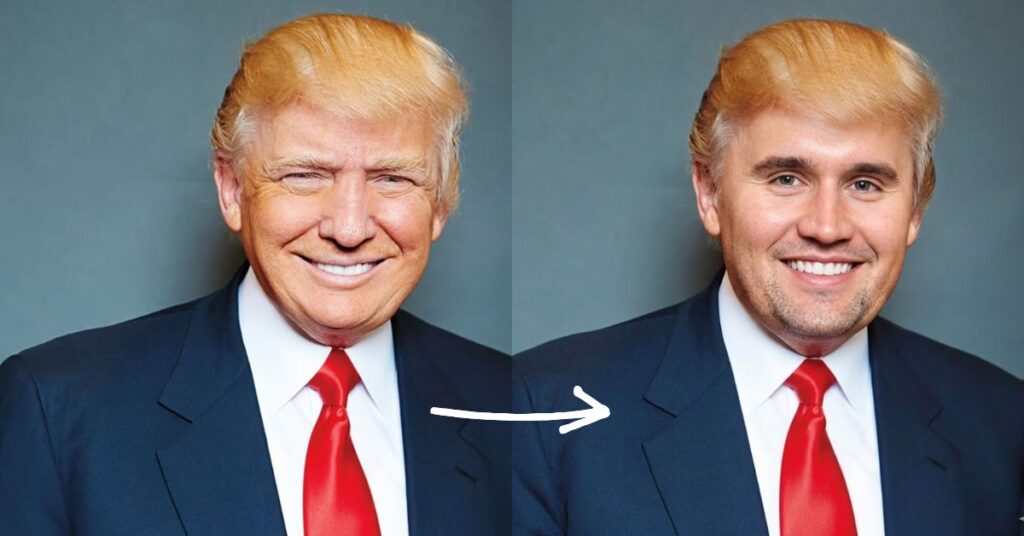
Kirkify AI is a browser-based application that serves only a single objective: transforming any person into a Charlie Kirk meme. Unlike massive AI platforms like Midjourney that require complex text prompts, Kirkify AI is built for speed and humor.
The tool uses a specific type of image-to-image AI. It captures a scan of your uploaded photo, recognizes facial landmarks (eyes, nose, and mouth), and toys with a distorted version of Charlie Kirk’s face.
It often adds a signature neon glow usually in cyan and magenta to give the image that “brainrot” aesthetic that social media users love.
Why Kirkification Went Viral
You might wonder why everyone is obsessed with “Kirkifying” things. This trend went viral in late 2025 after Charlie Kirk memes were massively circulated on Reddit and X.
The turning point happened when a user swapped Kirk’s face onto a video of iShowSpeed. It became so surreal and cursed a result that it got millions of views in the night. From there, the term “Kirkified” became a part of the internet’s vocabulary.
It uses a familiar popular image and transforms his image into an abstract language of humour that can be used again and again. Whether you are using it to make fun of a situation or just to create something weird, Kirkify AI is the engine that makes this cultural remixing possible for everyone.
How to Use Kirkify AI: A Step-by-Step Tutorial
Kirkify AI is easy and quick to start. The platform uses a streamlined workflow to help you create viral satire in seconds. Here are the precise steps that will transform any picture into a Kirkified masterpiece.
Step 1: Upload Your Image
Start by visiting the Kirkify AI platform and locating the uploader tool. You may drag the photo in the browser or can you tap a button to choose the file in your device. The uploader accepts typical formats, such as PNG, JPG, and WEBP. To make sure that you can upload your file without any problems, make sure it is less than 8 MB.
Step 2: Enter the Queue
When you have prepared your file, then the system will automatically give you a slot on the processing queue. When you are on a free account, you will be put in the regular queue that might have up to a short wait based on the on-traffic. Users on paid tiers like Bronze, Silver, or Gold get to skip the line with priority processing.
Step 3: Apply the Kirkify Treatment
After the AI identifies the face in your photo, it begins the “Swap” phase. The tool represents a programmed interface which automatically uses the signature neon template, as well as the viral tiny face scaling logic. In this step, it also adds a glitch badge and a required label of AI satire to ensure your post complies with social media rules.
Step 4: Download and Share
When the “Deliver” stage is complete, your result will appear in the feed. Then you can export the image in the desired aspect ratio suitable to the apps like Tik Tok, X and Instagram. The tool even has an already captioned satire that can be copied with a single tap so that sharing your meme can be made so effortless.
The AI Baby Kirkified Trend Explained
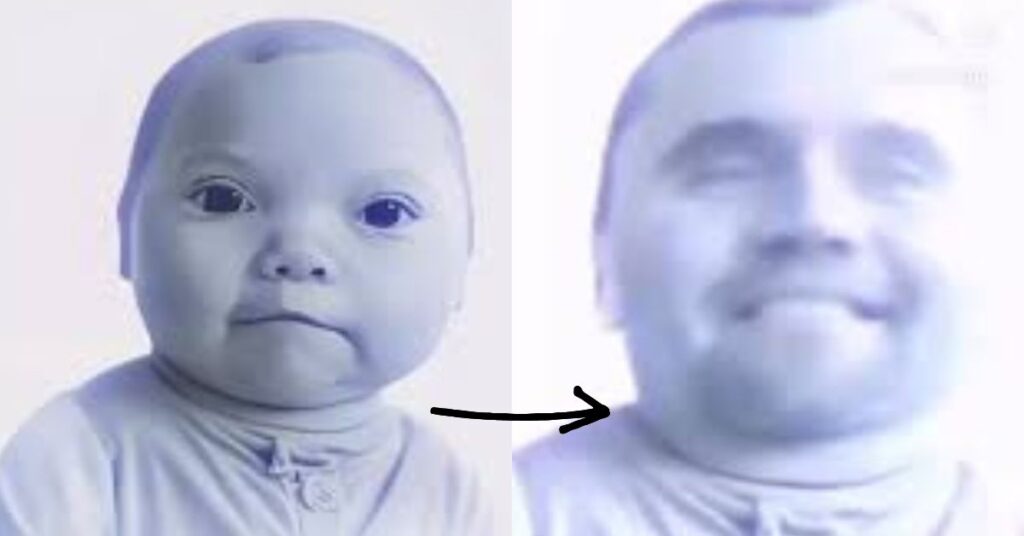
One major trend that other articles miss is the “AI baby kirkified” niche. It includes recreating those trending AI-generated videos of dancing babies and putting the Kirkify filter on them.
What has come out is genuinely grotesque yet so viral. These are the so-called Kirkified babies that are played when one does or says something confusing or to cringe.
If you want to go viral, try Kirkifying a popular AI baby video. The contrast between the cute baby body and the distorted face is comedy gold in today’s meme landscape.
Key Features of the Kirkify AI Generator
Why choose Kirkify AI over a standard face-swap app? Here are the features that set it apart:
- Kirkify AI Face Swap: It is not a generic swap. An AI is specifically trained according to the tiny face geometry that renders Kirk memes well known.
- Kirkify AI Image Generator: It has the ability to generate completely new backgrounds. The generator can also take the scenery, in case you desire a Kirkified astronaut on Mars.
- Automatic Face Detection: You do not need to crop and align anything manually. The face to the AI is detected even when it is at an angle.
- Signature Neon Glow: It automatically applies the cyan and magenta lighting that has become the “official” look of the Kirkification movement.
Is Kirkify AI Free? Pricing and Access Explained
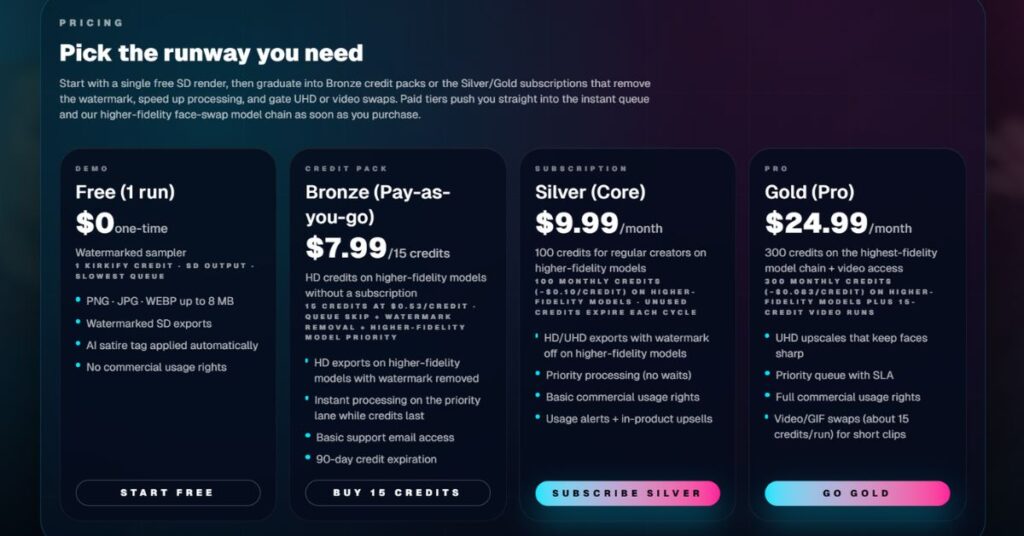
Yes, you can use Kirkify AI free of charge, but there are some limits. The free version is ideal for most users who want to make memes casually.
Free Demo Tier
You can start your journey with a single free “SD” render. You just have to log into the platform to get this welcome credit.
- Cost: $0 one-time.
- Outputs: Watermarked standard definition (SD) pictures.
- Features: It has an auto AI satire label but does not transfer commercial rights.
- Queue: This is the slowest lane for processing.
Bronze Credit Pack
The Bronze is a great pay-as-you-go option that offers superior quality as well but not binding to any monthly contract.
- Cost: $7.99 for 15 credits.
- Outputs: High-definition (HD) exports, watermarked off.
- Features: You are allowed priority in the queue and access to better fidelity model chains.
- Note: The credits will expire after 90 days.
Silver Subscription (Core)
Silver level is aimed at typical creators that desire a consistent stream of quality content.
- Cost: $9.99 per month for 100 credits.
- Outputs: HD and Ultra-High-Definition (UHD) exports without any watermarks.
- Features: Includes basic commercial usage rights and instant processing with no waits.
Gold Subscription (Pro)
The Final “Kirkification” package of power users and video editors is the Gold tier.
- Cost: $24.99 per month for 300 credits.
- Outputs: Sharp UHD upscales on the highest-qualityest model chain.
- Features: It is the only level where video and GIF swaps are unlocked and each run costs approximately 15 credits. It also consists of full commercial usage as well as a priority queue and service level agreement (SLA).
The Pro subscription is justified when you are a serious content creator and post every day. It erases the watermark rendering your videos to sound a lot cleaner on Tik Tok.
Best Alternatives to Kirkify AI
If the site is down or you want a different look, here are a few alternatives:
- Remaker AI
- InsightFaceSwap
- Reface
- Freepik
- Higsfield AI
- Magic Hour
- Leonardo.ai
- Bing Image Creator
- DeepAI
- Topaz Labs
For the specific “tiny face” aesthetic, nothing beats the original Kirkify AI generator.
Kirkify AI Risks: Safety, Privacy, and Ethical Concerns Explained
You must be cautious whenever you post your face on an AI tool. Here are a few things to keep in mind:
- Data Storage: Read the privacy policy of the particular site you are using. The majority of the meme generators remove your images after 24 hours, but few may store them to train their artificial intelligence (AI) models.
- Ethical Use: Use this tool for fun. Do not bully and harass people with it. Memes that can be laughed at by all people because they are utterly ridiculous are the best.
- Permission: Always ask your friends before you Kirkify their photos and post them online.
Where to Share Your Kirkified Masterpieces
Once you have your image, you need to know where the community lives.
- Reddit: Check out subreddits like r/memes or r/topaitools. Individuals there are fond of watching innovations in niche AI.
- X (Twitter): The new home of the Charlie Kirk meme. Use hashtags like #Kirkified or #TinyFace to get noticed by the big meme accounts.
- Discord: Many AI art communities have dedicated channels for “cursed images.” A Kirkified photo fits perfectly in those channels.
Read More: AI Arbitrage 2026: From Zero to a Profitable Business Fast
Conclusion: Should You Kirkify Your Feed?
The internet loves a good “inside joke,” and Kirkify AI is the perfect tool for that. It is simple, funny, and free to try. We no longer need to spend hours in editing software to participate in a joke. We only want a great idea and a mighty generator.
If you want to give your followers a laugh or join a viral trend, Kirkify AI is the way to go. Don’t forget to do it in a responsible manner and maintain the use of humor.
Now, go find a photo of your friend (or yourself) and see how small those features can get!
Pro Tip: When posting your Kirkified images to X or TikTok, use the hashtag #Kirkified to get picked up by the community’s algorithm. Speed is everything in meme culture!
FAQs
Is Kirkify.net free?
Yes. You can sign in to the platform to claim one welcome credit. This credit includes a standard definition (SD) render, which is free of charge, with a watermark to assist in redirecting traffic to the site.
What about safety labels?
Every render is stamped with an AI satire tag. This allows you to post your creations confidently across social media platforms like TikTok, X, and Threads while staying compliant with their policies.
Do I need an account?
Yes, you need to sign in to enable the upload option and receive a free welcome credit. Having an account also allows you to purchase paid credits or subscriptions to remove the watermark and bypass the processing queue.
Can I remove the watermark?
Watermarks remain on all exports created in the free tier. To get clean exports and unlock features like preset syncing, you will need to upgrade to the Creator tier.
Is Kirkify AI safe to use?
Yes. Most Kirkify tools do not store your photos permanently. Nevertheless, you must always read the privacy policy of an AI site you are using.
Does it work on videos?
Kirkify AI now supports short video clips (up to 10 seconds) on some versions. It tracks the face throughout the movement, making it perfect for TikTok “lip-sync” memes.
Why is it called Kirkification?
The term comes from Charlie Kirk, the person whose face was first used to create the distortion style. Gradually, it has become a general term of this type of humor created by AI.
Can I use these images for my brand?
While you can use them for social media engagement, be careful with commercial products. These are memes based on a public figure’s likeness, which can sometimes lead to copyright or “right of publicity” issues if you try to sell them on t-shirts.
Where do I reach support?
If you need help or have questions, you can email the team at support@kirkify.net. They normally respond to you in one business day.